OCR Translator1.8
Publisher Description
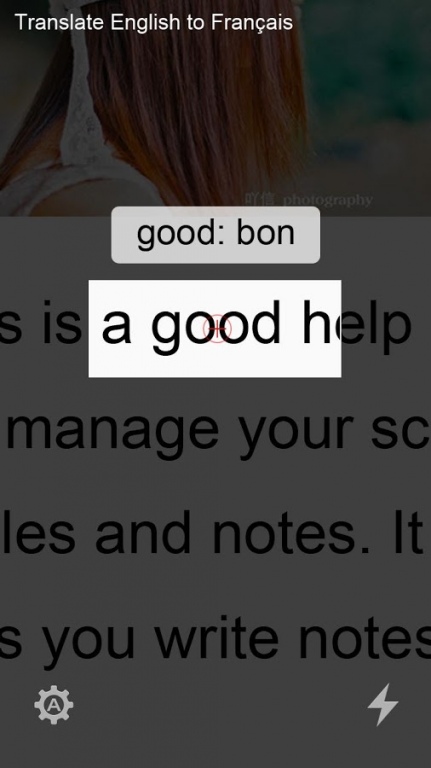
Translate word by camera device, support many languages!
Features:
Extract word text from the camera of mobile phone and provide online translation. Simply aim the camera at the word, the translated result will instantly show on screen.
Currently Supported Languages for translation by Bing:
Arabic, Finnish, Italian, Slovak, Bulgarian, French, Japanese, Slovenian, Catalan, German, Korean, Spanish, Chinese Simplified, Greek, Latvian, Swedish, Chinese Traditional, Haitian Creole, Lithuanian, Thai, Czech, Hebrew, Norwegian, Turkish, Danish, Hindi, Polish, Ukrainian, Dutch, Hmong Daw, Portuguese, Vietnamese,
English, Hungarian, Romanian, Estonian, Indonesian, Russian.
Default setting: Translate from English to your local language. Press MENU key to change settings. You can set any language pair combination. For example, Translate from French to English, or from Spanish to Russian, etc..
OCR data for English is included, other language data can be downloaded after you change the 'Translate From' setting item.
Supported languages for OCR: Arabic, Bulgarian, Catalan, Czech, Danish, Dutch, English, Finnish, French, German, Greek, Hindi, Hungarian, Indonesian, Italian, Latvian, Lithuanian, Polish, Portuguese, Romanian, Russian, Serbian (Latin), Slovak, Slovenian, Spanish, Swedish, Tagalog, Thai, Turkish, Ukrainian, and Vietnamese.
About OCR Translator
The company that develops OCR Translator is seekele. The latest version released by its developer is 1.8.
To install OCR Translator on your Android device, just click the green Continue To App button above to start the installation process. The app is listed on our website since 2015-05-14 and was downloaded 45 times. We have already checked if the download link is safe, however for your own protection we recommend that you scan the downloaded app with your antivirus. Your antivirus may detect the OCR Translator as malware as malware if the download link to com.seeke.ocrtranslator is broken.
How to install OCR Translator on your Android device:
- Click on the Continue To App button on our website. This will redirect you to Google Play.
- Once the OCR Translator is shown in the Google Play listing of your Android device, you can start its download and installation. Tap on the Install button located below the search bar and to the right of the app icon.
- A pop-up window with the permissions required by OCR Translator will be shown. Click on Accept to continue the process.
- OCR Translator will be downloaded onto your device, displaying a progress. Once the download completes, the installation will start and you'll get a notification after the installation is finished.
Program Details
System requirements
Download information
Pricing
Version History
version 1.8
posted on 2015-05-14
support more vocabulary
